Technology Bites

  • Home
  • Tech
    • Software
    • Browsers
    • Google
    • Internet
    • Windows
  • Mobile
    • Android
    • Apple
    • Windows Phone
  • Products
    • Phones
    • Tablets
  • TIP US
You are here: Home / Google / Google adds Scientific Calculator to Search

Google adds Scientific Calculator to Search

Google has added a 34 button scientific calculator to the search. Previously used to display just the result when you enter some calculation in the search box. But now it shows a scientific calculator above the search results.

The scientific calculator added today is not only works on PC browsers but also on mobile browsers. You can also use voice search to perform calculations. It works on mobile devices also, atleast it works on Chrome for iOS, but you need to pronounce clearly for it to recognize the voice. On mobile devices flip the phone to landscape mode to see the full calculator.
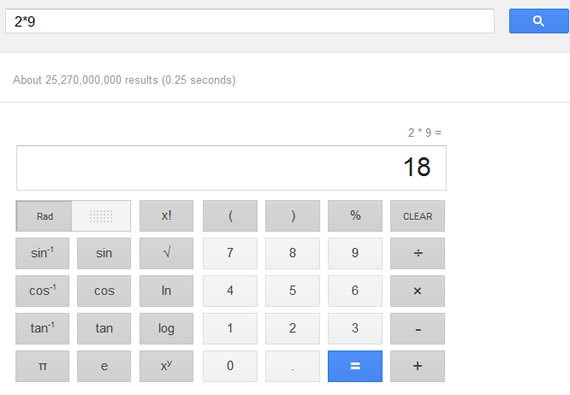
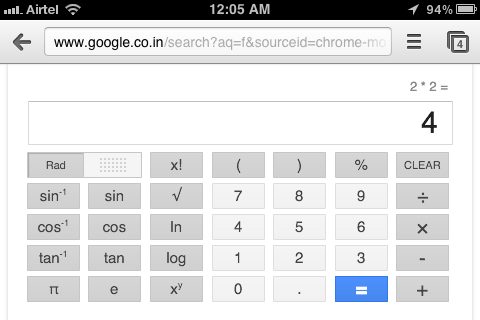
The calculator includes functions like sines, cosines, tangents etc along with the normal functions. So next time you want to do a complex calculation you can just enter the same in Google instead of searching for a calculator.

Share this:

  • Tweet

Related

About Ram

I am a blogger and Technology Enthusiast. I write about software, tech news, gadgets. You can reach me at ram@teknobites.com, follow me on Google+ or on Twitter

« Reliance Communications launches 3G tablet at Rs. 14,499
Facebook Phone is made by HTC and will debut in mid-2013 »

Top Posts

  • Sony announces PlayStation 4 with Social Features, Specs
  • Microsoft Releases Free Virtual Desktop Manager for Windows
  • HTC One X unveiled, Quad-Core Tegra 3, Android 4.0
  • Your own Twitter with Prologue and Wordpress
  • Micromax A89 Ninja Review
  • Highlight and Share Web Clips with Awesome Highlighter
  • LG G Flex Europe roll out in February
  • What Shyftr does is content theft
  • Samsung ZEQ 9000 is the first Tizen smartphone, launch at MWC
  • Flash to run by default in IE10 on Windows 8 / RT from today

About Us · Archive · Disclaimer & Privacy Policy · TIP US · Copyright © 2025 · Technology Bites


Loading Comments...